MikroTik · network setup · 2026
MikroTik Router Setup
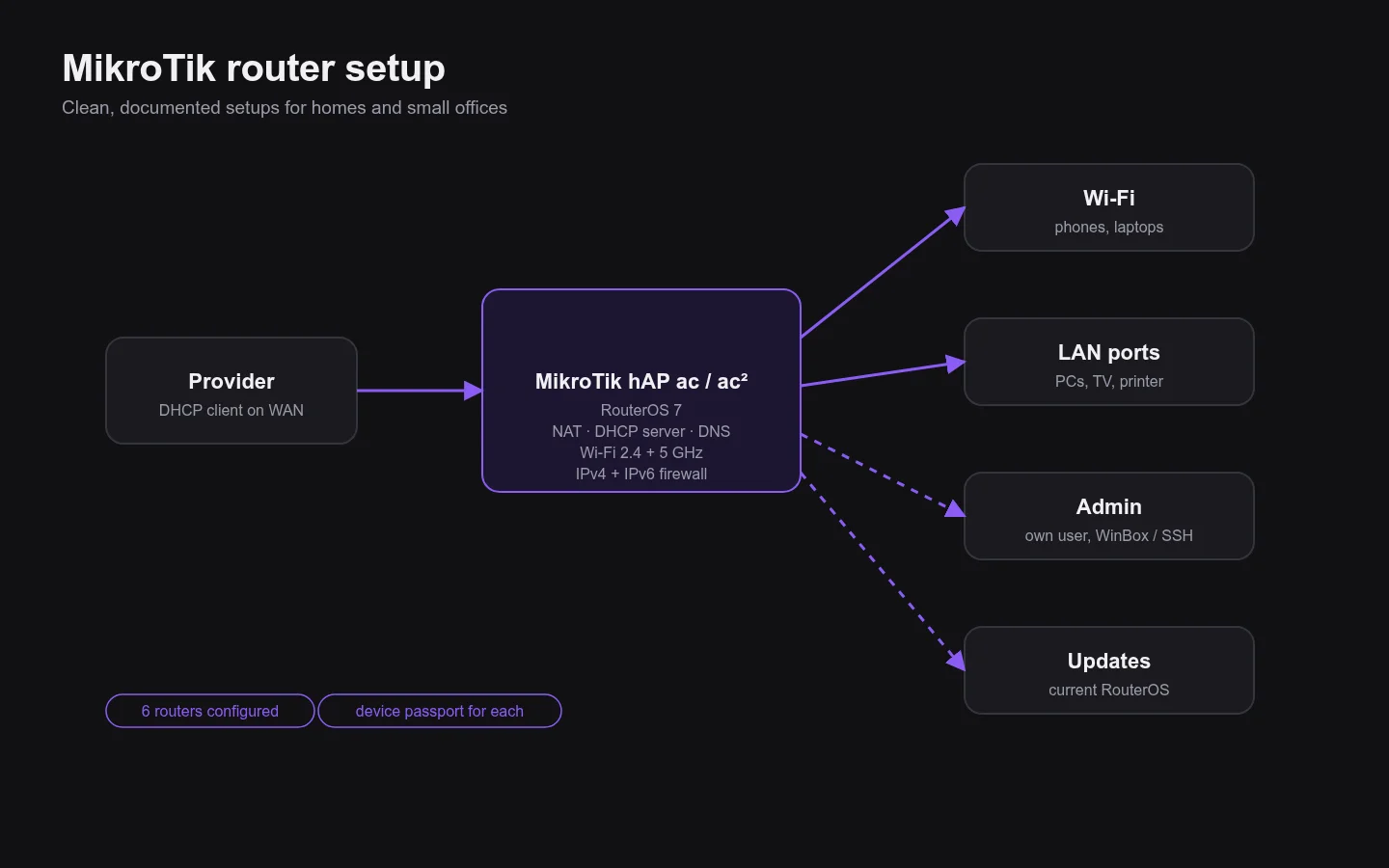
Clean, secure MikroTik setups for homes and small offices — internet, Wi-Fi, firewall and a device passport for every router.
About the project
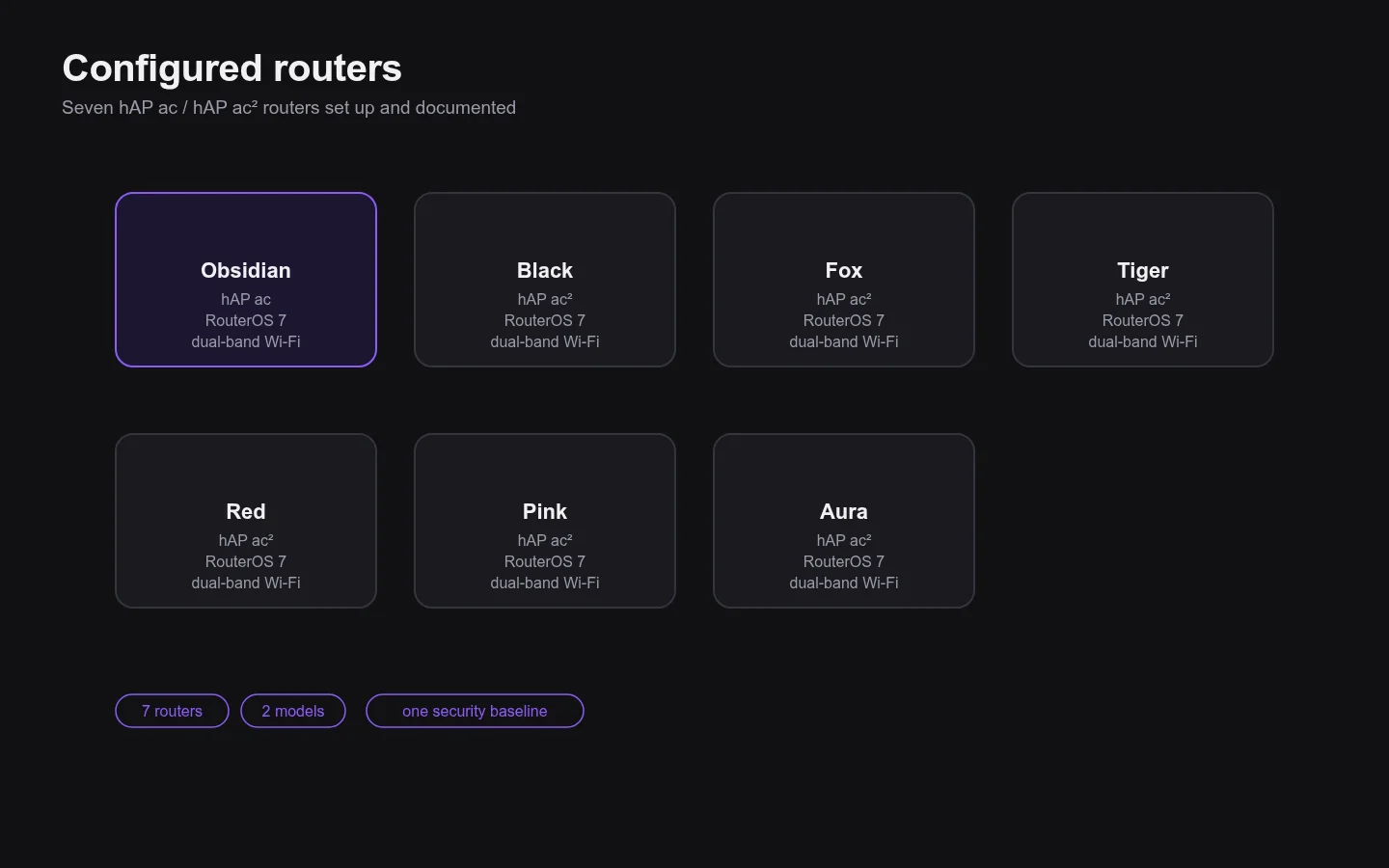
Seven routers — one hAP ac and six hAP ac² — were set up from scratch: internet from the provider, local network with DHCP and DNS, Wi-Fi in 2.4 and 5 GHz and an up-to-date RouterOS.
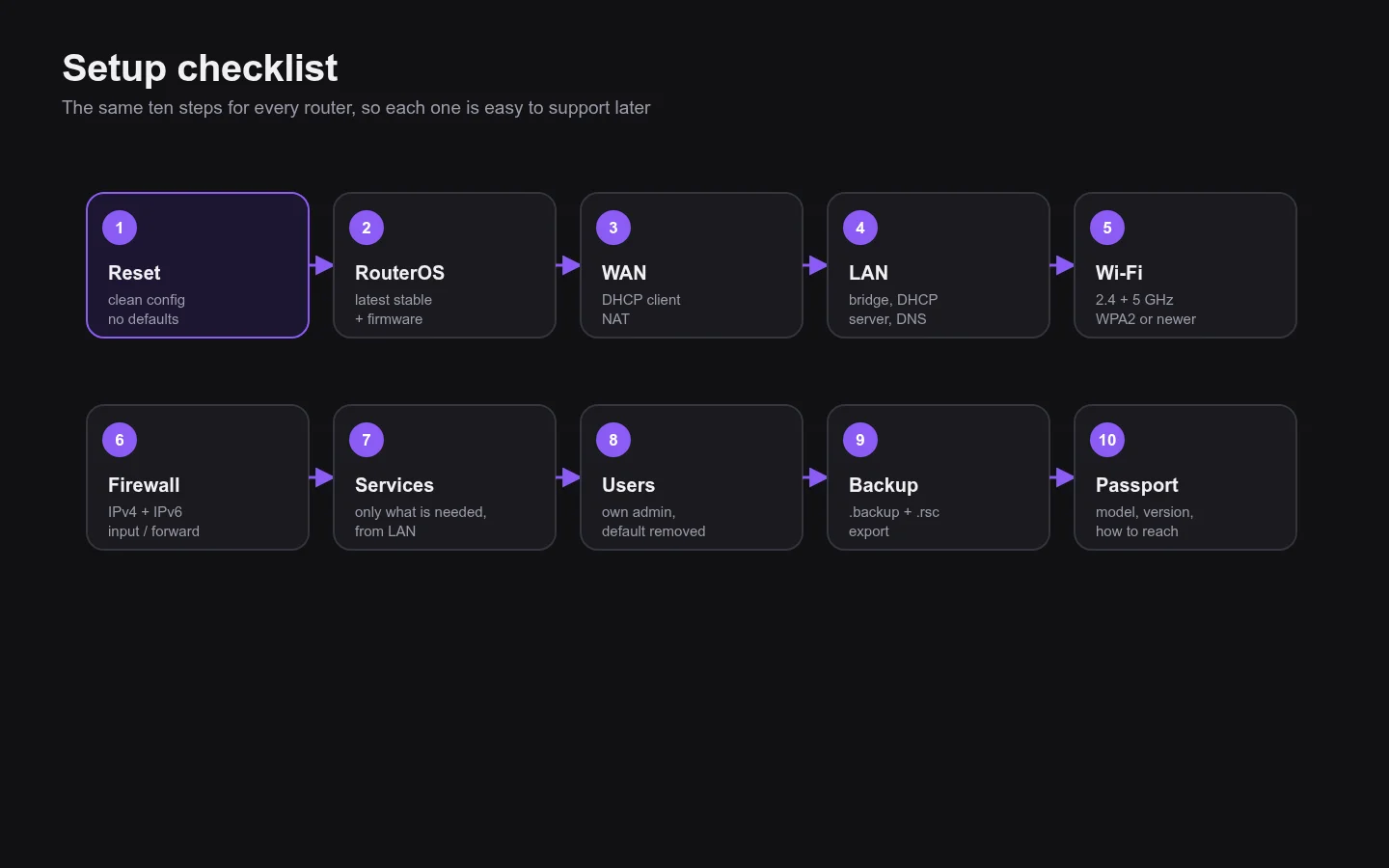
Each setup gets the same security baseline and a short passport with model, firmware and how to reach the router for support.
What I did
- WAN, NAT, DHCP, DNS and dual-band Wi-Fi
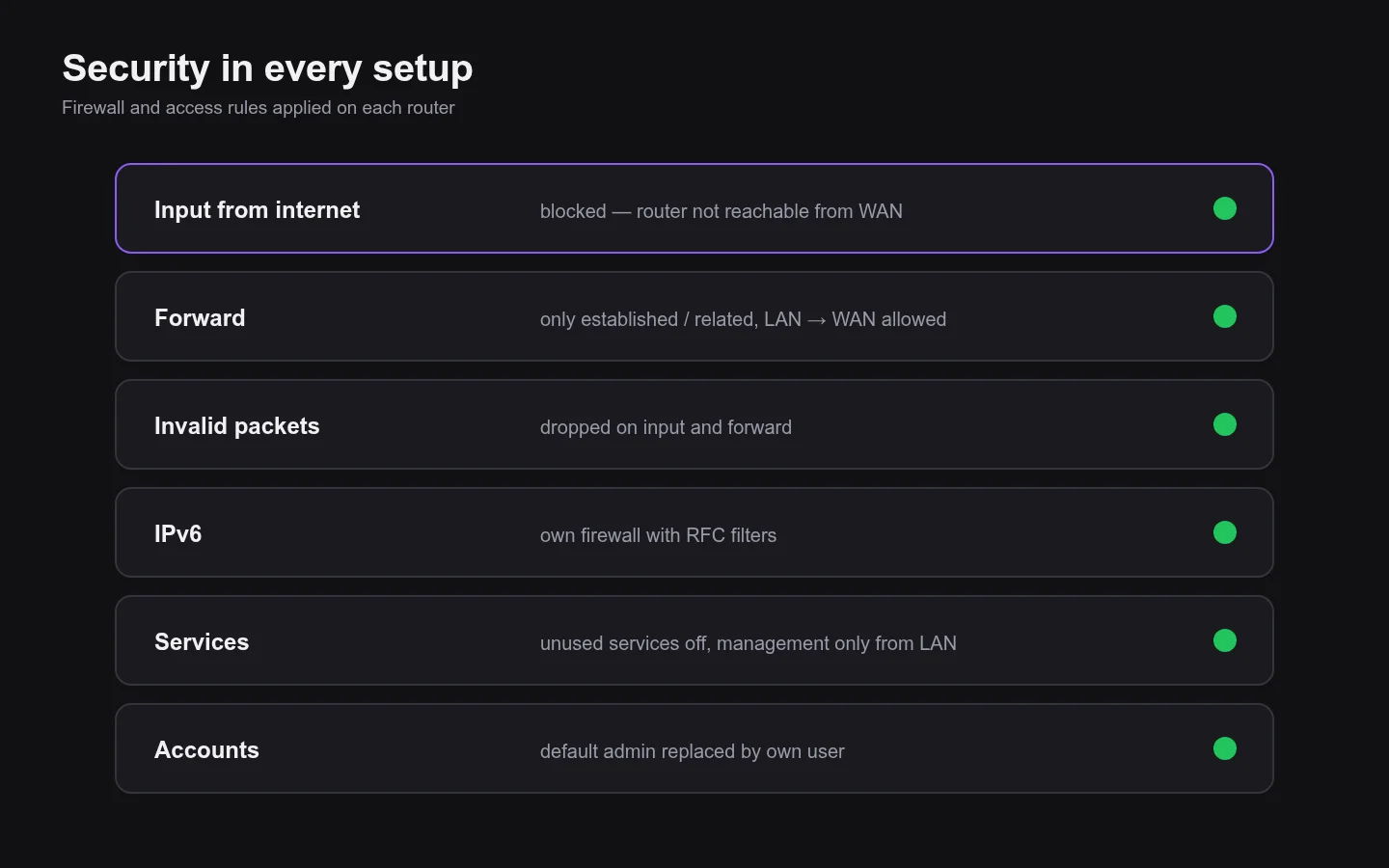
- IPv4 and IPv6 firewall, router closed from the internet
- Unused services off, management only from LAN
- Own admin account instead of the default one
- RouterOS updates and a passport for each of the 7 devices
Year
2026
Type
MikroTik · network setup
Stack
MikroTik hAP ac / hAP ac², RouterOS 7
Screens