MikroTik · network setup · 2026
MikroTik L2 Switch
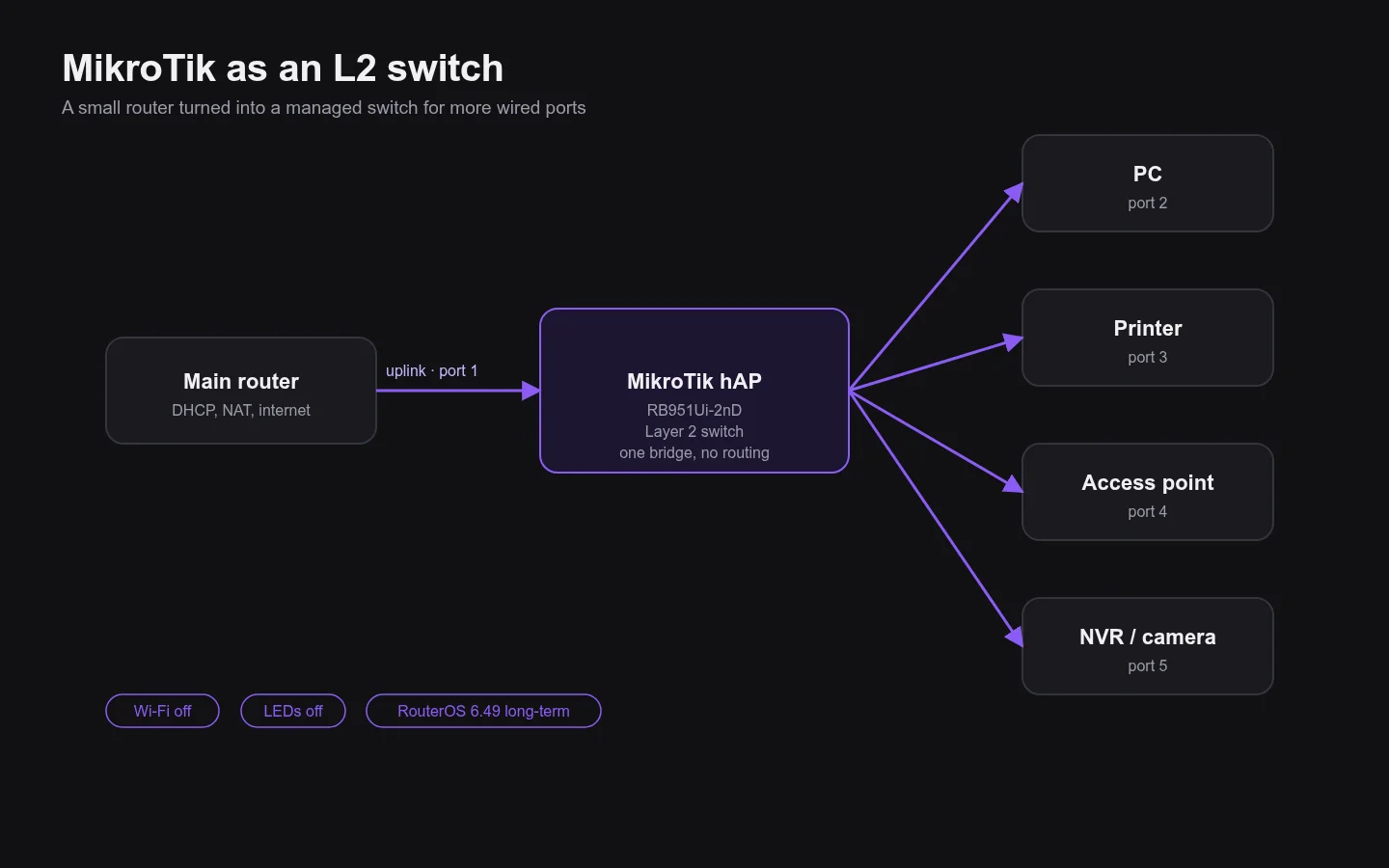
Small MikroTik routers turned into Layer 2 switches to add wired ports to an existing network.
About the project
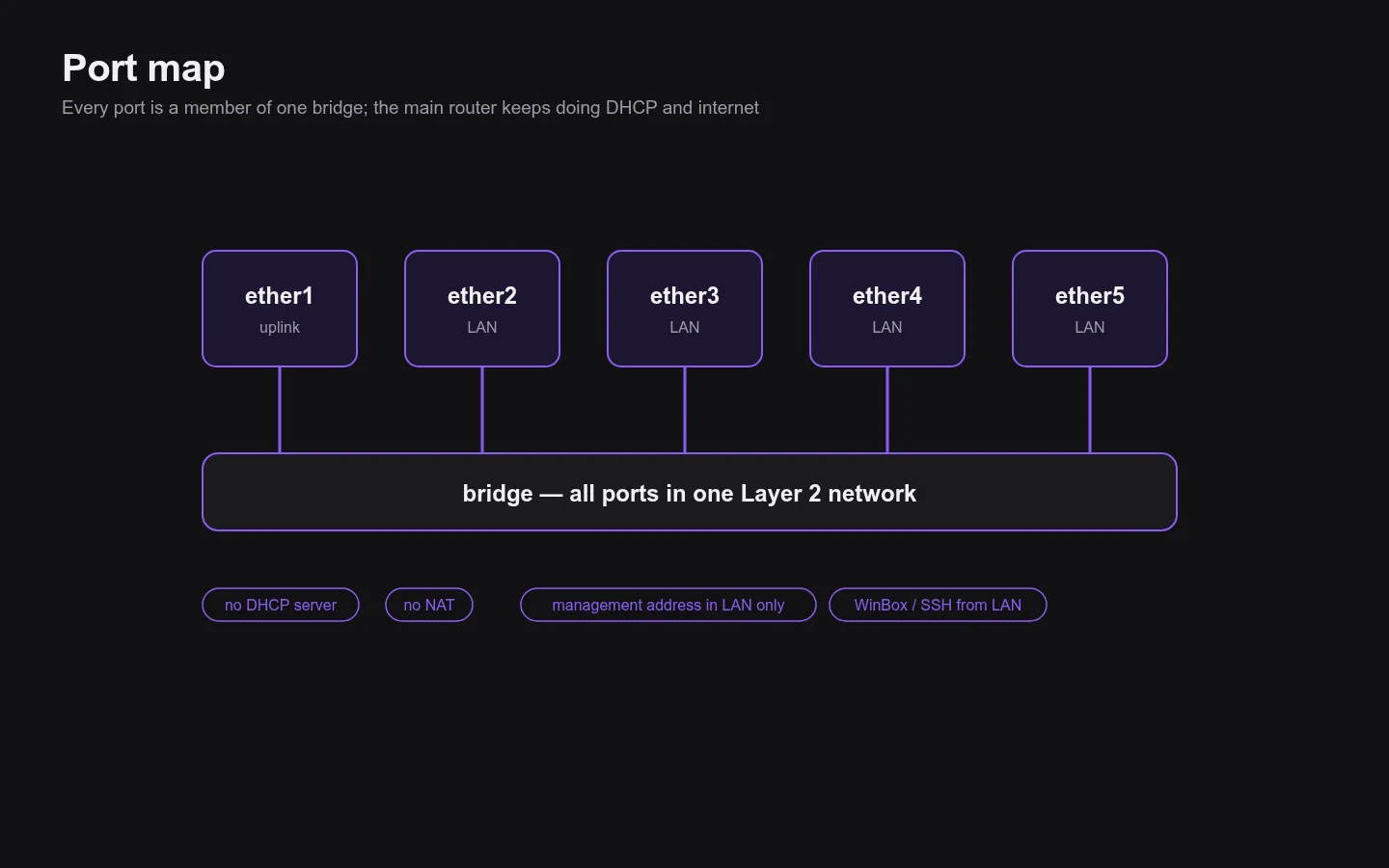
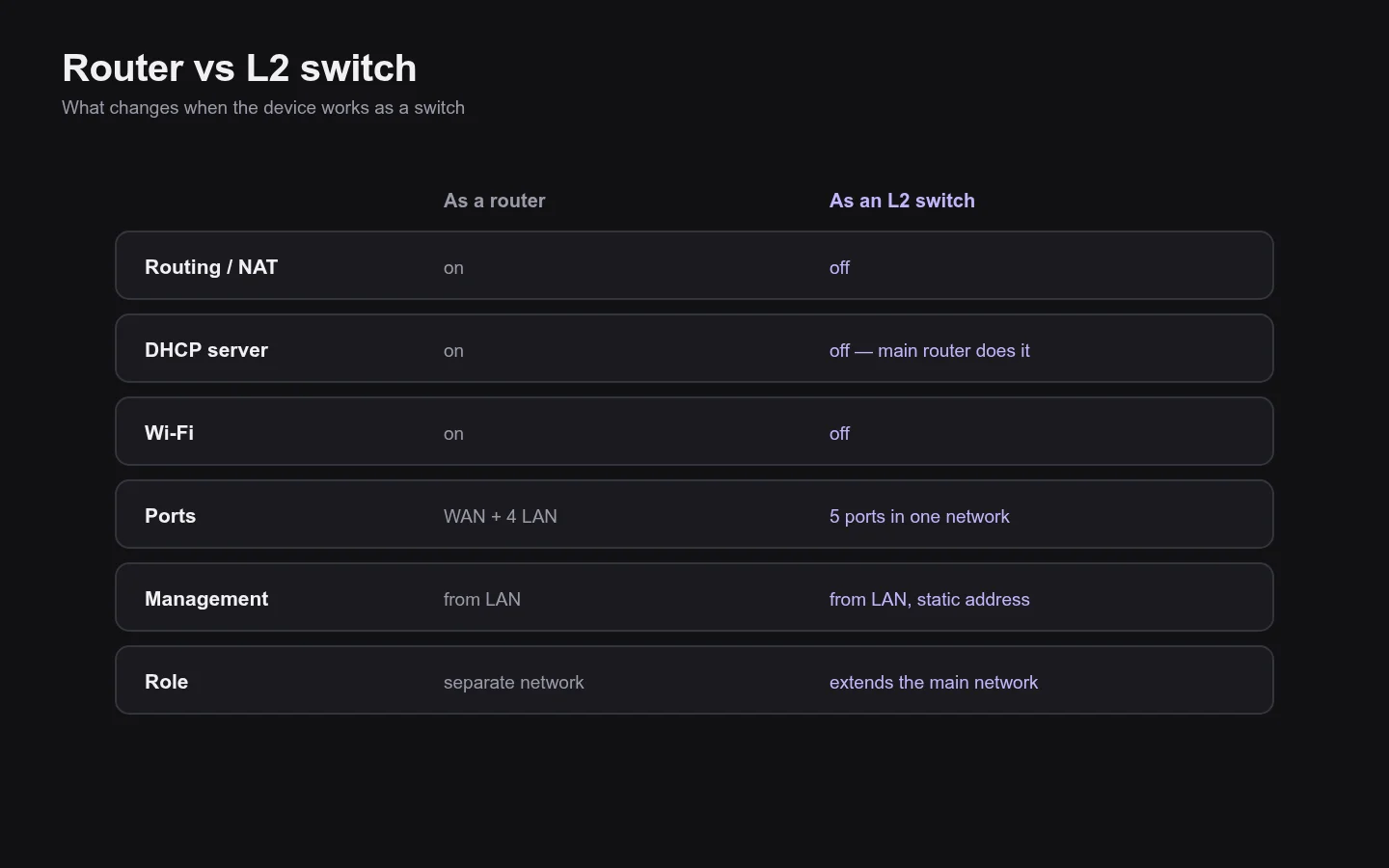
All ports are joined in one bridge, so devices behind the switch stay in the same network and get addresses from the main router. Routing, NAT, DHCP and Wi-Fi are off.
The switch keeps a management address reachable only from the local network, its LEDs are off and unused services are disabled.
What I did
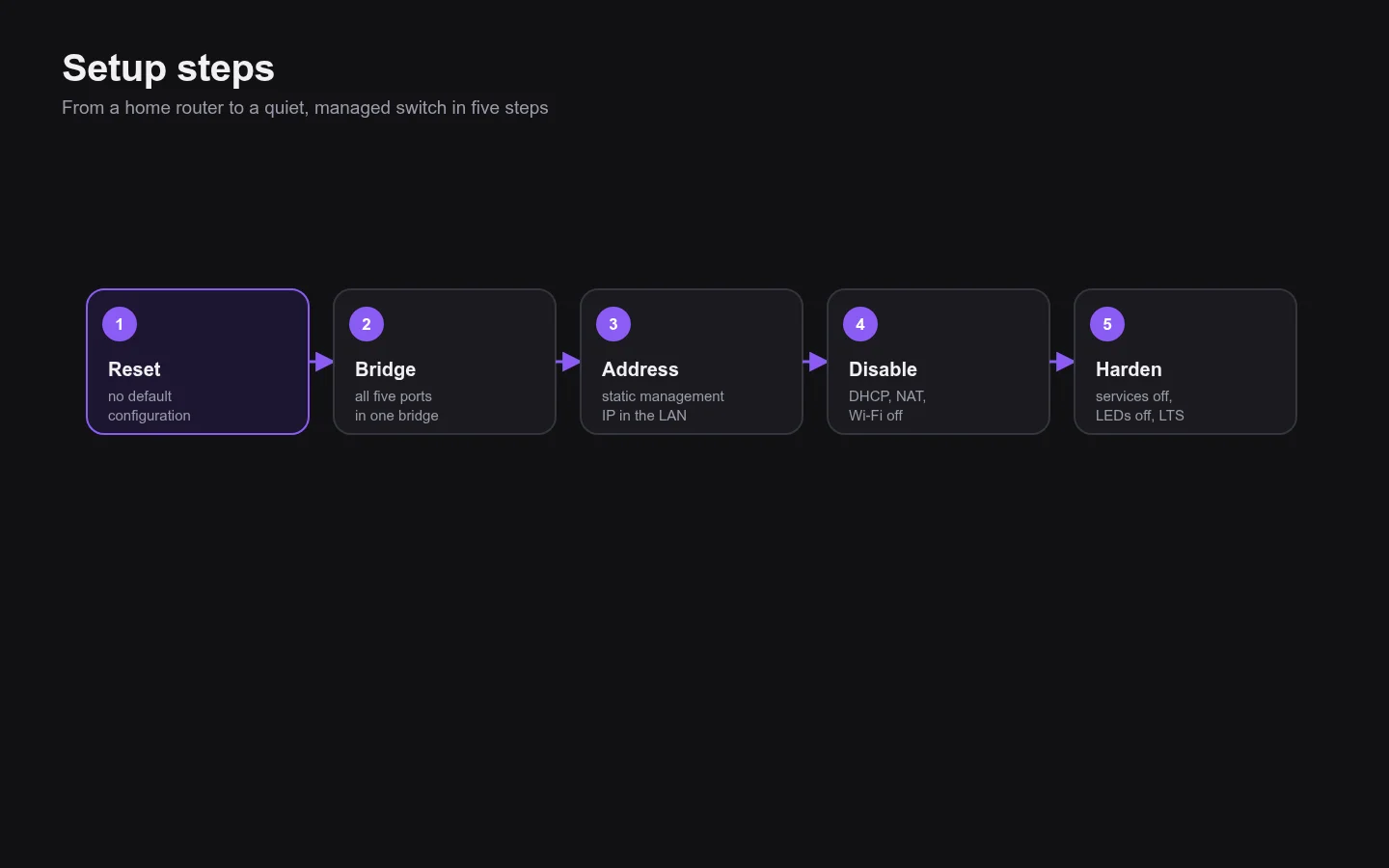
- All ports in one bridge, uplink to the main router
- No routing, NAT, DHCP server or Wi-Fi
- Management from LAN only, unused services off
- RouterOS 6.49 long-term, LEDs off
- Two switches configured and documented
Year
2026
Type
MikroTik · network setup
Stack
MikroTik hAP (RB951Ui-2nD), RouterOS 6.49 long-term
Screens